NEW FEATURE: Generating Photos with AI 🎨
Something exciting just dropped in your Editor tab! Now you can use AI to create brand-new photos or change your existing ones—right inside Marky.
Add AI generated images
(flux, dalle, midjourney, etc) You should try to implement AI images like flux into your designer. with a brand they want images that align with there vision and that's what sets AI images apart especially flux which has great realism it also read text writing prompts really well. Including infographics
6
This means you can turn a plain image into something fun, colorful, or more you—without needing Photoshop skills. 💪
📸 What This Feature Does
The AI Photo Tool helps you:
🪄 Edit any photo — Change backgrounds, colors, or objects with a simple text prompt.
🎨 Generate new photos — Just type what you need, and AI will create it for your post.
🌎 Localize images — Make your photos fit your audience (like turning a summer scene into snowy mountains!).
⚡ Save time — No need to switch apps or hire a designer.
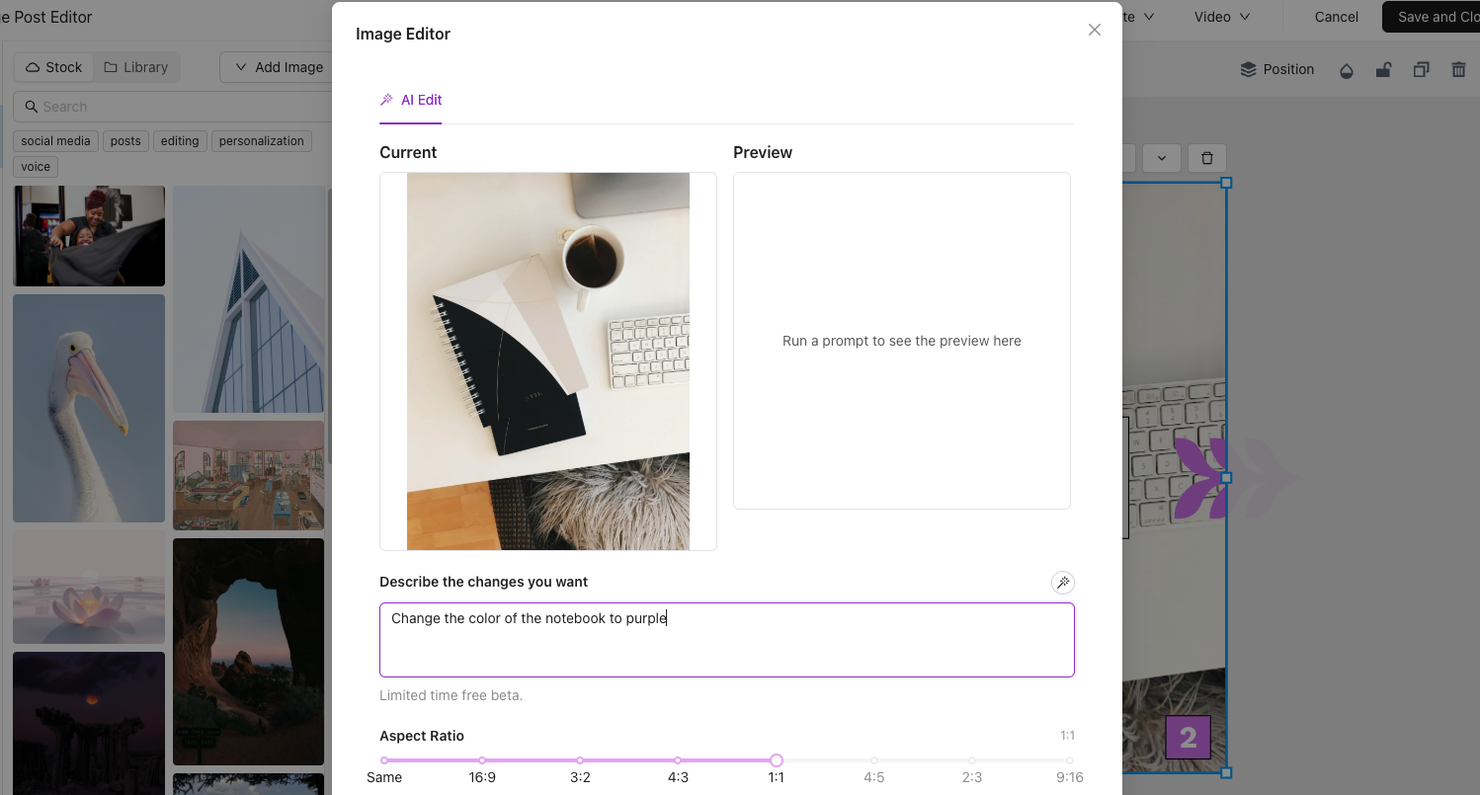
🧭 How To Use It
1️⃣ Open a post or go to your Library.
2️⃣ Select an image you want to edit (or start a new one).
3️⃣ Click AI Edit or Generate Image.
4️⃣ Type what you want to change, like: “Make the car red and add snow in the background.”
5️⃣ Hit Apply Edit or Generate — and watch the magic happen! ✨
6️⃣ Save and add it straight to your post.
That’s it! You just used AI to make your visuals stand out—fast and easy.
Want to see it step-by-step? 👉 Watch our YouTube walkthrough here:
Give it a spin in Marky! Create your first AI-edited photo and share your thoughts—we’d love to hear how it worked for you. 💫
10