NEW FEATURE: Post Analytics 📊
Hey Markyteers,
Creating content is only half the battle—knowing what works is where the magic happens. ✨
Post analytics
I want to see a table of my post-performance how many likes, comments, shares, clicks, etc, I got across each social
1
That’s why we’re thrilled to announce Post Stats is now live in Marky! 🎉
Here’s what you can do with Post Stats:
✅ View detailed analytics by post
🔍 Filter by social account, post type, date range, and categories
📈 Instantly spot your best-performing content
🔁 Duplicate top posts to reuse proven winners
🏠 Access stats directly from your homepage and publishing views
The spotlight is on Post Analytics:
📝 Dive deep into each post to see exactly how it performed—likes, comments, shares, clicks, and more. This is your go-to for understanding what truly resonates with your audience.
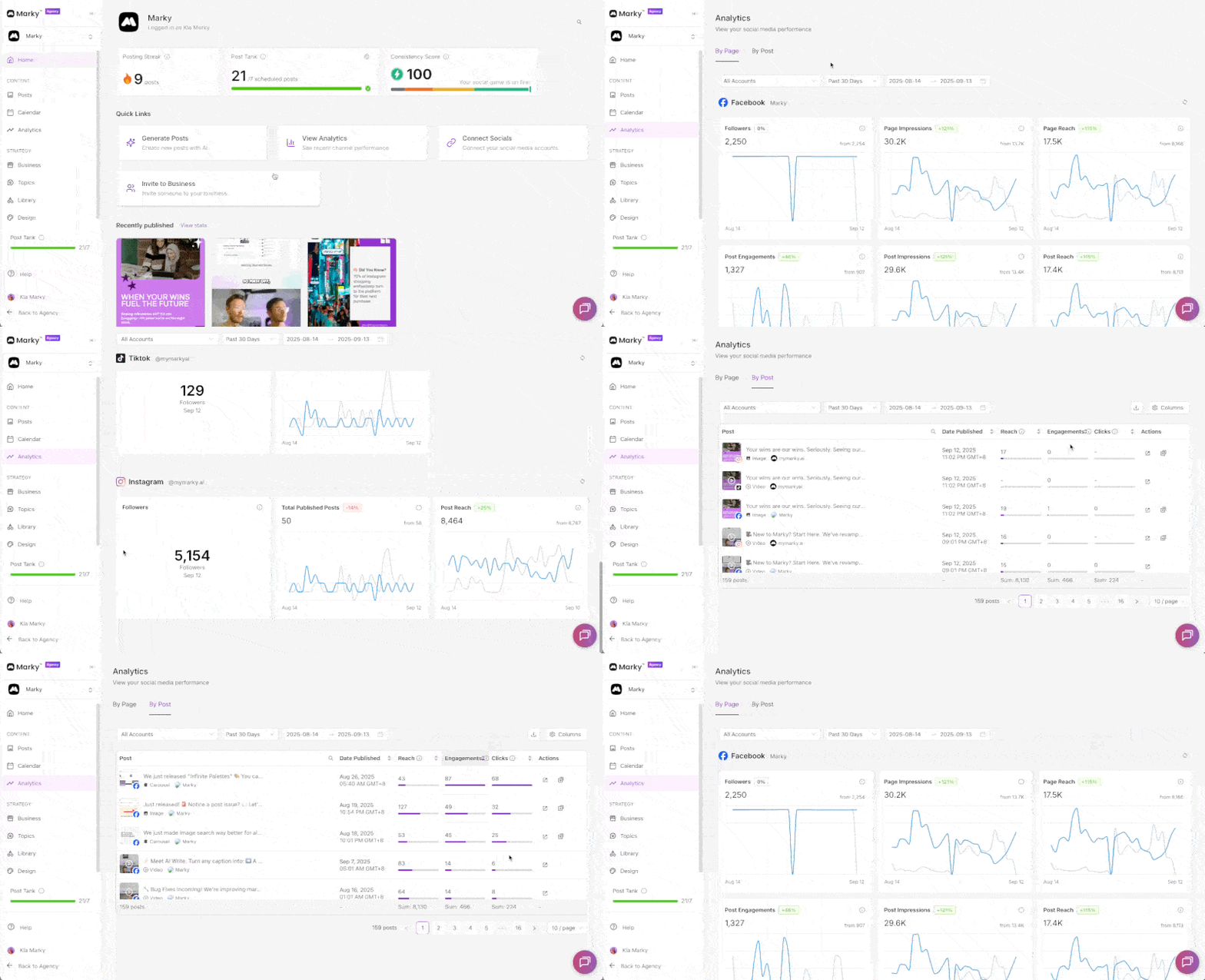
How to access Post Stats in Marky:
- Head to the Analytics tab in your dashboard
- Select By Post (or By Page if you want the bigger picture)
or 3. Just hover over the Quick Links section and find the View Analytics Button
💡 Quick tip: Use filters (date published, type, categories, reach) to refine your insights
Quickly spot your top-performing posts, duplicate them with ease, and repost to maximize engagement and reach 🚀 With Post Stats, you’ll form smarter strategies, double down on what’s working, and save tons of time. 💪
Ready to optimize your content? Head to your Analytics tab and start exploring Post Stats today! 🚀